
A plumber in San Jose told me last month that he spent $3,200 on a website two years ago. Beautiful site. Custom photos. Five pages. He gets about 40 visits a month, almost all of them from people who already know his name. Meanwhile, the guy down the street - worse website, frankly - books three jobs a week from Google searches alone.
The difference? It wasn't the website design. It wasn't SEO tricks. It was a free tool that takes about 45 minutes to set up properly, and most small business owners in the Bay Area either ignore it or fill it out halfway and forget about it.
If you're running a small business website bay area customers are supposed to find, this is where you start.
Google Business Profile: The Small Business Website Bay Area Owners Keep Ignoring
Google Business Profile (GBP) is Google's free business listing tool. You've seen it a thousand times - it's that box on the right side of Google search results showing a business's hours, phone number, reviews, photos, and location on a map. It also powers the "3-pack" - those three local results that show up above the regular search results when someone types something like "electrician near me" or "best tacos Sunnyvale."
Google made it. It costs nothing. And for local businesses in Santa Clara County, San Mateo County, and the rest of the Bay Area, it is genuinely the most important digital tool you're not using correctly.
Here's what most people get wrong: they think their website is how customers find them. For local businesses, that's usually backwards. Your Google Business Profile is how people find you. Your website is where they go after they find you - to confirm you're legit, check your portfolio, or get more details. If your GBP is empty or outdated, most people never make it to your website at all.
What Google Business Profile Actually Does
Strip away the marketing language and here's what GBP gives you:
You show up in local searches. When someone in Mountain View searches "hair salon near me," Google pulls from GBP listings - not websites. If you don't have a complete profile, you're invisible for those searches. Period.
You get a knowledge panel. That's the big box with your business info that appears when someone searches your exact business name. Hours, phone, address, website link, reviews, photos - all pulled from GBP.
You get data. GBP shows you how many people saw your listing, how many clicked to call, how many asked for directions, and what search terms they used to find you. This is the kind of data that marketing agencies charge monthly retainers to compile.
You can post updates. New menu item? Holiday hours? Special offer? GBP lets you post updates that show up right in search results. Think of it like a social media feed that your customers actually see because it's right there when they Google you.
How a Real Bay Area Business Uses This Day-to-Day
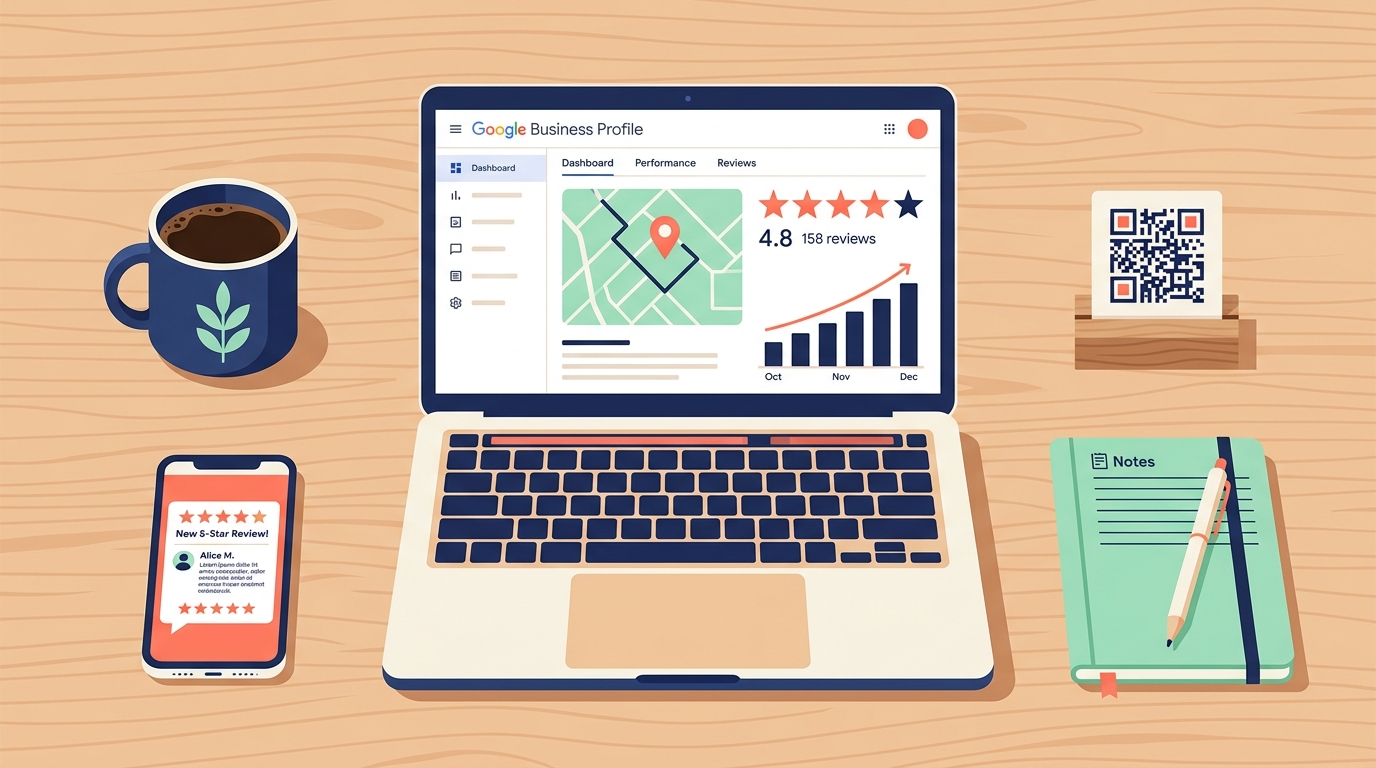
Let me walk through a concrete example. Say you run a dog grooming business in Campbell.
Monday morning: You open GBP on your phone (there's an app, though Google keeps threatening to kill it - the web version works fine). You see that 312 people found your listing last week. 28 clicked to call. 15 asked for directions. You also see that your top search terms were "dog groomer campbell" and "pet grooming near me." That tells you what people actually type when they find you - useful info for your small business website bay area search strategy.
Tuesday: A customer leaves a 5-star review. You respond within an hour - not because you're obsessive, but because Google's algorithm favors businesses that respond to reviews. Your response is specific: "Thanks Maria! Glad Biscuit enjoyed the blueberry facial." This isn't just polite - it adds keywords to your listing naturally.
Wednesday: You take a good photo of a freshly groomed golden retriever and upload it to GBP. Listings with recent photos get 42% more direction requests and 35% more click-throughs to websites, according to Google's own data. You also post a quick update: "Now booking summer shave-downs - slots filling up fast for June."
Thursday: You notice a competitor has more reviews than you. You print out a small card with a QR code linking directly to your Google review page and start handing them to customers at checkout. (If you want to get fancy with QR tracking, tools like links.autom84you.com let you track exactly how many people scan and convert.)
Friday: You check your weekly stats again. Calls are up 15% from last month. You haven't spent a dollar on ads.
That's it. Maybe 20 minutes of total work across the whole week. No marketing degree required.
Why This Matters More in the Bay Area Than Most Places
The Bay Area is one of the most competitive local markets in the country. Between San Jose, San Francisco, Oakland, and everything in between, there are thousands of small businesses fighting for the same eyeballs. But here's the thing - competition actually makes GBP more valuable, not less.
Why? Because most of your competitors still aren't doing this well. I've audited dozens of small business website bay area listings, and the pattern is always the same: incomplete profiles, zero photos uploaded in the last year, reviews with no responses, and business hours that haven't been updated since 2023. The bar is on the floor.
With the recent changes to SBA loan eligibility and rising costs across the Bay Area, small businesses need every free advantage they can get. A properly managed GBP listing is the closest thing to free advertising that actually works.
Pros and Cons - Honest Ones
Pros:
- Completely free. No premium tier, no upsells, no "unlock advanced features for $29/month." Everything you need is included.
- Massive reach. Google handles over 8.5 billion searches per day. Your listing shows up right where people are already looking.
- Low time investment. After the initial 45-minute setup, you're looking at maybe 15-20 minutes per week to keep it healthy. Compare that to running social media accounts.
Cons:
- You're on Google's turf. They change the rules whenever they want. Features disappear. The dashboard gets reorganized every six months. You have zero control over this.
- Fake reviews are a real problem. Competitors can (and do) leave fake negative reviews. Getting them removed is a slow, painful process that sometimes just doesn't work.
- It's not a replacement for a website. GBP gets people to your door, but if they want to see your portfolio, read detailed service descriptions, or book online, they still need a proper site to land on. A small business website bay area customers trust needs to back up what your GBP listing promises.
How GBP Compares to the Alternatives
Yelp used to be the king of local business discovery, especially in the Bay Area where it was founded. It still matters for restaurants and a few other categories, but Yelp's aggressive sales tactics and the way it filters reviews have pushed a lot of business owners away. GBP is free and reaches more people. Yelp is worth maintaining but shouldn't be your primary focus.
Apple Business Connect is Apple's version - it powers results in Apple Maps and Siri. If a significant chunk of your customers use iPhones (in the Bay Area, that's a lot of them), it's worth setting up. But it gets a fraction of the traffic that Google does, and the tools are more limited. Set it up, but don't prioritize it over GBP.
Neither Yelp nor Apple Business Connect gives you the search visibility that GBP does. For a small business website bay area strategy, GBP is the foundation. Everything else is supplementary.
The Part Where Your Website and GBP Need to Talk to Each Other
Here's where most small business owners in Santa Clara County drop the ball: they treat their website and their GBP listing as two separate things. They're not. They need to match.
Your business name, address, and phone number (marketers call this "NAP" - sorry for the acronym) need to be identical everywhere. If your GBP says "123 Main St, Suite 4" and your website says "123 Main Street #4," Google notices. It erodes trust in your listing. Same goes for your hours, your service descriptions, and your service area.
Your website also needs to be fast, mobile-friendly, and have clear calls to action. A gorgeous site that takes 6 seconds to load on a phone is worse than an ugly site that loads in 2. I've built sites for Bay Area businesses where just fixing load speed and adding a click-to-call button doubled their monthly leads - no design changes, no new content, just making the basics work.
If your current site isn't pulling its weight, that's fixable. Custom small business websites start at $500 at autom84you.com, and I specifically build them to work hand-in-hand with GBP listings - proper local schema markup, consistent NAP data, mobile-first design, the works.
What to Do Right Now
Here's your 15-minute action plan:
- Go to business.google.com and either claim your listing or create one. If your business has been around for a while, there's probably an unclaimed listing already sitting there with outdated info.
- Fill out every single field. Business description, services, service area, hours (including holiday hours), attributes - all of it. Incomplete profiles get buried.
- Upload at least 10 photos. Your storefront, your team, your work, your products. Real photos, not stock images. Blurry iPhone photos of actual work beat polished stock photos every time.
- Ask your three happiest customers for reviews this week. Not through some automated email sequence - just text them personally and ask. Most will say yes.
- Set a weekly reminder to spend 10 minutes checking stats, responding to reviews, and posting an update.
That's it. No subscription fees. No complicated setup. No agency needed (unless you want one).
If you get through that list and realize your website is the weak link in the chain - the thing people click through to and then bounce from - that's a conversation worth having. I've spent 20 years building sites for exactly this situation. Shoot me a note at nerd@a84y.com and I'll take a look at what you've got. No pitch, just an honest read on whether your small business website bay area presence is helping or hurting you.

Comments
No comments yet. Be the first to share your thoughts!
Leave a Comment