
By the end of this guide, you'll have five working automations that handle real busywork - sorting emails, writing follow-ups, processing invoices, managing reviews, and updating inventory - using AI tools that actually understand what they're reading, not just moving data between apps.
Zapier deserves its reputation. It's popular because it works: pick a trigger, pick an action, done. For connecting App A to App B, it's genuinely great. But when you need to automate repetitive tasks AI can reason through - reading an email and deciding what it means, writing a reply that sounds like you, categorizing a document based on its content - Zapier's if/then logic hits a wall. That's the gap this guide fills.
What You Need Before Starting
Nothing expensive. A Google account (for Sheets and Gmail). A free-tier account on Make.com or n8n (both offer visual workflow builders with AI nodes). Access to at least one AI API - Claude or GPT-4o, which run about $3-10/month at small-business volumes. That's it. Total cost for everything below: $15-30/month, compared to $70-150/month on Zapier's higher tiers with limited AI capability.
Step 1: Sort and Prioritize Incoming Emails by Intent
The Zapier way: Filter emails by subject line keywords. "Quote" goes to one folder, "complaint" to another. Breaks instantly when someone writes "I'd like pricing info" instead of using the word "quote."
The AI way: Connect your inbox to a workflow in Make.com or n8n, and route each new email through a Claude API call with a prompt like: "Classify this email as: new lead, support request, vendor pitch, or personal. Return only the category." The AI reads the actual message, understands intent regardless of wording, and tags it. A veterinary clinic I set up this workflow for went from 45 minutes of morning email sorting to zero. The system costs them about $4/month in API calls.
Common mistake: Don't try to have the AI do everything in one call. Classify first, then trigger separate follow-up workflows per category. Simpler to debug, cheaper to run.
Step 2: Automate Repetitive Tasks AI Writes - Client Follow-Ups
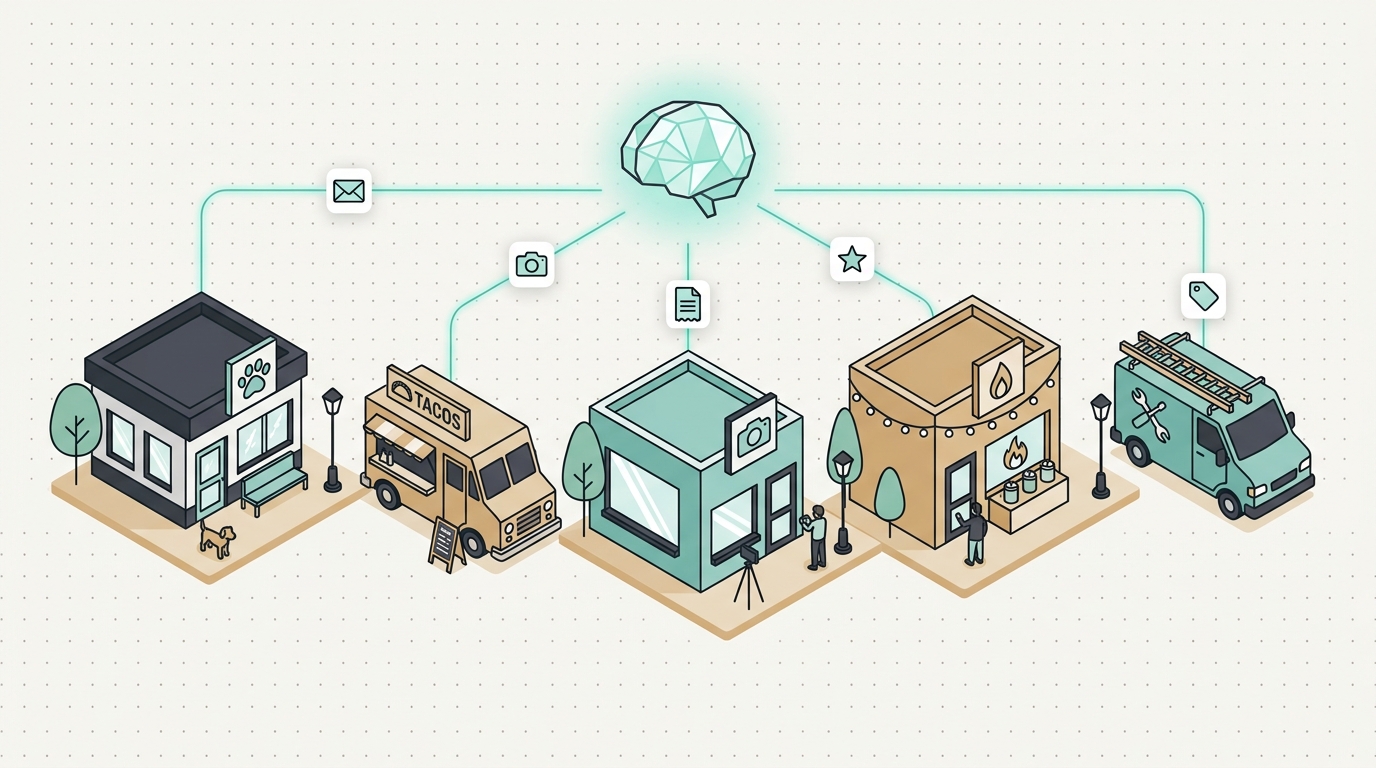
The AI way: Pull the original inquiry from your CRM or Google Sheet, feed it to the AI with context about your services, and generate a follow-up that references what the client actually asked about. A wedding photographer in San Jose told me her reply rate doubled after switching from templates to AI-drafted follow-ups - because the emails mentioned the specific venue and date from the original inquiry instead of reading like a mail merge.
The workflow: Google Sheets (new row trigger) → delay node (3 days) → AI node (write personalized follow-up using row data) → Gmail (send as draft for review). Total build time: about 20 minutes in n8n.
Tip: Always send AI-written emails as drafts first, at least for the first two weeks. Review them, get comfortable with the tone, then switch to auto-send once you trust the output.
Step 3: Process Invoices and Receipts Without Data Entry
The Zapier way: Use a PDF parser to extract text, then map specific fields. Works until a vendor changes their invoice format, which happens constantly.
The AI way: Send the invoice image or PDF text to a vision-capable model (Claude or GPT-4o both handle this well) with the prompt: "Extract vendor name, date, line items, and total. Return as JSON." The AI doesn't care about formatting - it reads the document like a human would. Push the JSON into Google Sheets or QuickBooks via API.
I built this exact pipeline for an HVAC company in Fremont that processes 60-80 vendor invoices per month. Their bookkeeper was spending six hours a week on manual entry. Now she reviews a pre-filled spreadsheet in about 40 minutes. The AI processing costs roughly $2/month at that volume. The setup took an afternoon - the portfolio page has details on that build if you're curious.
Common mistake: Don't skip validation. Have the workflow flag any invoice where the extracted total doesn't match the sum of line items. Catches AI errors and vendor math errors alike.
Step 4: Monitor and Respond to Online Reviews
The Zapier way: Get notified when a new Google review appears. That's about all it can do - the response is on you.
The AI way: Pull new reviews via the Google Business API, run each through an AI call that classifies sentiment and drafts an appropriate response. Positive review? Thank them and mention something specific they praised. Negative review? Acknowledge the issue, apologize, offer to make it right - flagged for your personal review before posting.
This is where you automate repetitive tasks AI genuinely does well. A taco truck owner I know in Mountain View gets 15-20 Google reviews per week across two locations. He was either ignoring half of them or spending an hour every evening writing replies. Now he spends five minutes approving drafts on his phone.
Tip: Never auto-post responses to negative reviews. Always review those personally. The AI drafts a solid starting point, but a one-star review needs a human touch.
Step 5: Sync Inventory Descriptions Across Platforms
The Zapier way: Copy a product title and price from Shopify to Etsy to Square. Structured data only - it can't rewrite a description to match each platform's style.
The AI way: Write one master product description, then use AI to generate platform-specific versions. Etsy listings need storytelling and keywords. Your website needs clean, scannable copy. Instagram needs a caption with hashtags. One input, three tailored outputs.
Set this up as a Google Sheet workflow: paste your master description in column A, and the AI populates columns B (Etsy-optimized), C (website), and D (social caption). A candle maker in Campbell who sells on four platforms told me this cut her listing time from two hours per product to fifteen minutes.
You can extend this further with a marketing suite that tracks which product links get clicked and from where - useful data when you're selling across multiple channels.
Step 6: Build a Weekly Summary Report That Writes Itself
This one isn't replacing Zapier - it's doing something Zapier never attempted. Pull data from your Google Analytics, Stripe, and CRM into a single sheet (scheduled API calls, once a week). Then feed that data to an AI with a prompt like: "Summarize this week's performance for a small business owner. Highlight what changed from last week and flag anything unusual."
The output reads like a brief from a virtual assistant: "Revenue up 12% - mostly from the new landing page. Three support tickets about shipping delays, all from the same carrier. Instagram engagement dropped 20%, likely because you only posted twice."
No dashboard to interpret. No login to check. Just a plain-English email in your inbox every Monday morning.
Putting It Together: What to Do Next
Pick one workflow - the one that eats the most time in your week - and build it first. Most of these take 30-90 minutes to set up if you're comfortable with Make.com or n8n. If you're not, that's a normal starting point; both have solid tutorials and the learning curve is about a weekend.
The real question isn't whether to automate repetitive tasks AI can handle - it's which tasks to start with. My suggestion: start with whatever you dread doing on Monday morning. That's usually the workflow with the highest payoff in both time saved and sanity preserved.
If you'd rather have someone wire these up for you - especially the invoice processing or review response systems, which need a bit more API plumbing - that's exactly the kind of build I do at Autom84You. Data automation projects like these typically run $500-1,500 depending on complexity. Or if you just want a second opinion on which tool fits your situation, shoot me a note at nerd@a84y.com. I'll tell you honestly if Zapier is actually the right call for your use case - sometimes it is, and that's fine.




Comments
No comments yet. Be the first to share your thoughts!
Leave a Comment