
The Landscaper Website Bay Area Owners Actually Need
Here's something I see constantly in the Bay Area: a landscaper does gorgeous drought-tolerant yard conversions in Sunnyvale or Fremont, posts the results on Yelp and Thumbtack, and then watches those platforms take a cut of every lead while burying their portfolio under review widgets and competitor ads.
The typical landscaper website bay area search pulls up two kinds of results - directory listings where your work sits next to six competitors, or template sites from Wix and Squarespace that all look identical. Neither one actually shows potential clients what you can do.
There's a third option that costs less and works better, and almost nobody in the trades talks about it.
What Most Bay Area Landscapers Use (and Why)
The popular path looks like this: sign up for Thumbtack or Angi, pay $15-40 per lead, and hope that enough of those leads convert to cover the ad spend. Add a Yelp Business page. Maybe set up a GoDaddy or Wix site for $16-25/month with a stock photo of someone mowing a lawn.
This approach is popular because it's easy. You fill out a profile, the platform handles SEO, and leads start trickling in. For a landscaper just starting out in San Jose or Oakland, that initial trickle matters.
But the math stops working fast. At $25 per lead on Thumbtack, you might spend $500-800/month to book four or five jobs. Yelp's advertising program can run $300-1,000/month for competitive categories like landscaping in the Bay Area. And the whole time, you're building someone else's brand equity, not your own.
A NBC Bay Area report highlighted how rising costs already squeeze Bay Area landscaping businesses on fuel and equipment. Adding $500-1,000/month in platform fees on top of that is a margin problem.
The Quieter Alternative: A Landscaper Website Bay Area Clients Actually Browse
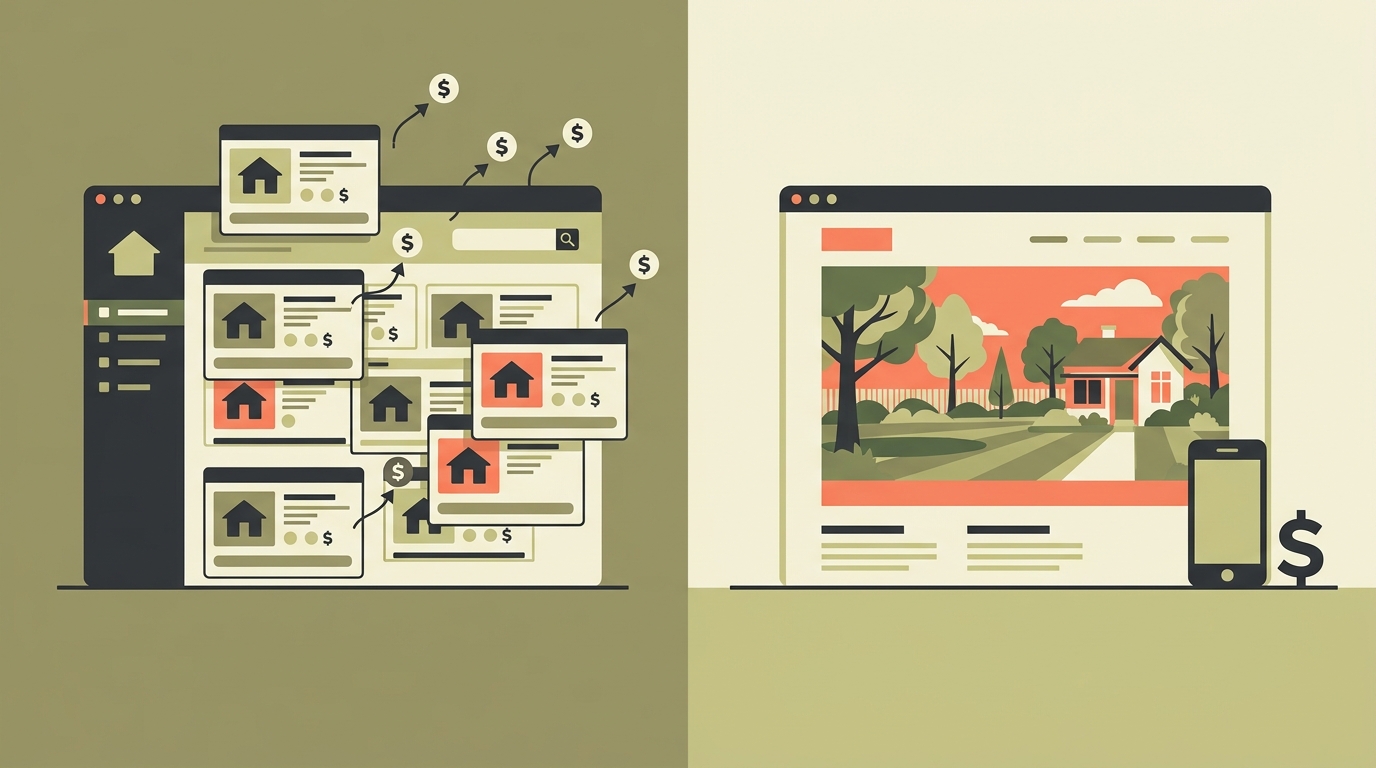
1. Real photos of real projects, organized by neighborhood. Not stock images. Not AI-generated yards. Actual before-and-after shots from jobs in Mountain View, Palo Alto, Campbell, wherever you work. When a homeowner in Los Gatos searches for a landscaper website bay area and sees photos from a street they recognize, that's trust no platform badge can match.
2. A single contact form or click-to-call button. No chatbot, no booking widget, no seven-step quote request. Landscaping clients want to describe their yard and get a callback. One form. Name, address, what they need, optional photo upload. Done.
3. Basic local SEO baked in. Your Google Business Profile linked to your own domain. Schema markup so Google shows your service area. A few pages targeting the cities you actually serve - not a generic "we serve the Bay Area" but specific pages for Cupertino, Milpitas, Santa Clara.
That's it. No blog you'll never update. No testimonial carousel. No animated hero banner. A site like this loads in under two seconds on mobile, which matters because 70%+ of local service searches happen on phones.
What This Looks Like Day-to-Day
Take a real scenario. Carlos runs a four-person crew doing drought-tolerant conversions and hardscaping in the South Bay. He was spending $600/month between Thumbtack leads and a Wix site he never updated.
A custom landscaper website bay area setup for someone like Carlos looks like this: a one-page site with a photo grid of his best twelve projects, each tagged by city and service type. A sticky "Call Now" button on mobile. His Google Business Profile pointing to his own domain instead of a Wix subdomain. Total ongoing cost: about $10/month for hosting and $12/year for the domain.
The upfront build cost? Somewhere between $500 and $1,200 depending on how many project photos need editing and how many city-specific landing pages make sense. I've done several of these through my portfolio - the trades projects are the ones that consistently generate the most calls per dollar spent.
After the switch, the site becomes Carlos's best salesperson. A homeowner searches "drought tolerant yard conversion Sunnyvale," finds his site, sees six photos from Sunnyvale projects, and calls. No lead fee. No competitor sidebar. No middleman.
Honest Pros and Cons
Pros of a custom site:
- You own the asset. No monthly platform fees eating into margins. Hosting runs $10-15/month.
- Every photo and every page builds your brand, not Thumbtack's. When you eventually sell or pass the business on, the site and its search rankings go with it.
- Local SEO compounds over time. A landscaper website bay area ranking you earn in month three keeps paying in month twelve with zero additional spend.
Cons of a custom site:
- You need real project photos. If you haven't been photographing your work, you'll need to start - and it takes a few weeks to build up a decent gallery.
- SEO results aren't instant. Thumbtack gives you leads on day one. A custom site might take 6-12 weeks to start ranking for local searches.
- Someone has to maintain it. Adding new project photos, updating your service list, keeping the SSL certificate current. It's minimal work - maybe an hour a month - but it's not zero.
How It Compares to the Alternatives
Thumbtack/Angi: Good for immediate leads when you're just starting. Bad for long-term margins. You're renting attention, not building it. Average Bay Area landscaper spends $400-800/month and has nothing to show for it if they cancel.
Wix/Squarespace: Better than nothing, but templates designed for photographers and restaurants don't serve trade contractors well. The drag-and-drop builders also produce slower pages - I've tested competitor sites in the Bay Area that take 6-8 seconds to load on mobile. Google penalizes that.
A custom-built site: Higher upfront cost, lower ongoing cost, and you end up with something that actually reflects your work instead of a template with your logo dropped in. For Bay Area landscapers doing $200K+ in annual revenue, the $500-1,200 build cost pays for itself with three or four jobs that came through the site instead of a paid platform.
The Photo Problem (and How to Solve It)
The single biggest objection I hear from landscapers: "I don't have good photos." Fair. But you don't need a professional photographer. Here's what actually works:
Take before photos when you start a job. Take after photos when you finish. Use your phone. Shoot in the morning or late afternoon when the light is warm. Stand in roughly the same spot for before and after. That's the whole system.
If you want to go one step further, short video walkthroughs of finished projects perform incredibly well on Instagram and can be embedded on your site. A 30-second clip of a finished patio or native plant garden does more selling than any amount of written copy.
For the site itself, I typically resize and optimize photos so they load fast without losing quality. A grid of twelve optimized project photos loads faster than a single unoptimized hero image on most template sites.
What To Do This Week
If you're a Bay Area landscaper currently paying for leads on a platform, here's a concrete next step: photograph your next three completed projects. Morning light, before and after, phone camera is fine. That gives you enough material for a real landscaper website bay area clients will actually find useful.
Then figure out your actual cost-per-job from Thumbtack or whatever platform you're using. Most landscapers I talk to have never done this math, and the number is usually higher than they expected.
If you want someone to look at your current setup and tell you honestly whether a custom site makes sense for your situation or whether you should stick with what you have, that's literally what I do - autom84you.com or just email nerd@a84y.com. I'll give you a straight answer either way, no pitch attached.



Comments
No comments yet. Be the first to share your thoughts!
Leave a Comment