
By the end of this guide, you'll know exactly when Zapier is the right call for your business - and when custom automation vs Zapier is a question worth asking seriously. You'll have a clear decision framework, real cost comparisons, and a step-by-step process for evaluating both paths before you commit money to either one.
Why Custom Automation vs Zapier Matters More in 2026
Zapier is genuinely good software. It connects over 7,000 apps, it requires zero coding knowledge, and you can build a working automation in fifteen minutes. For a wedding photographer who wants new inquiry emails forwarded to a Google Sheet, Zapier is perfect. Set it up, forget about it, move on with your life.
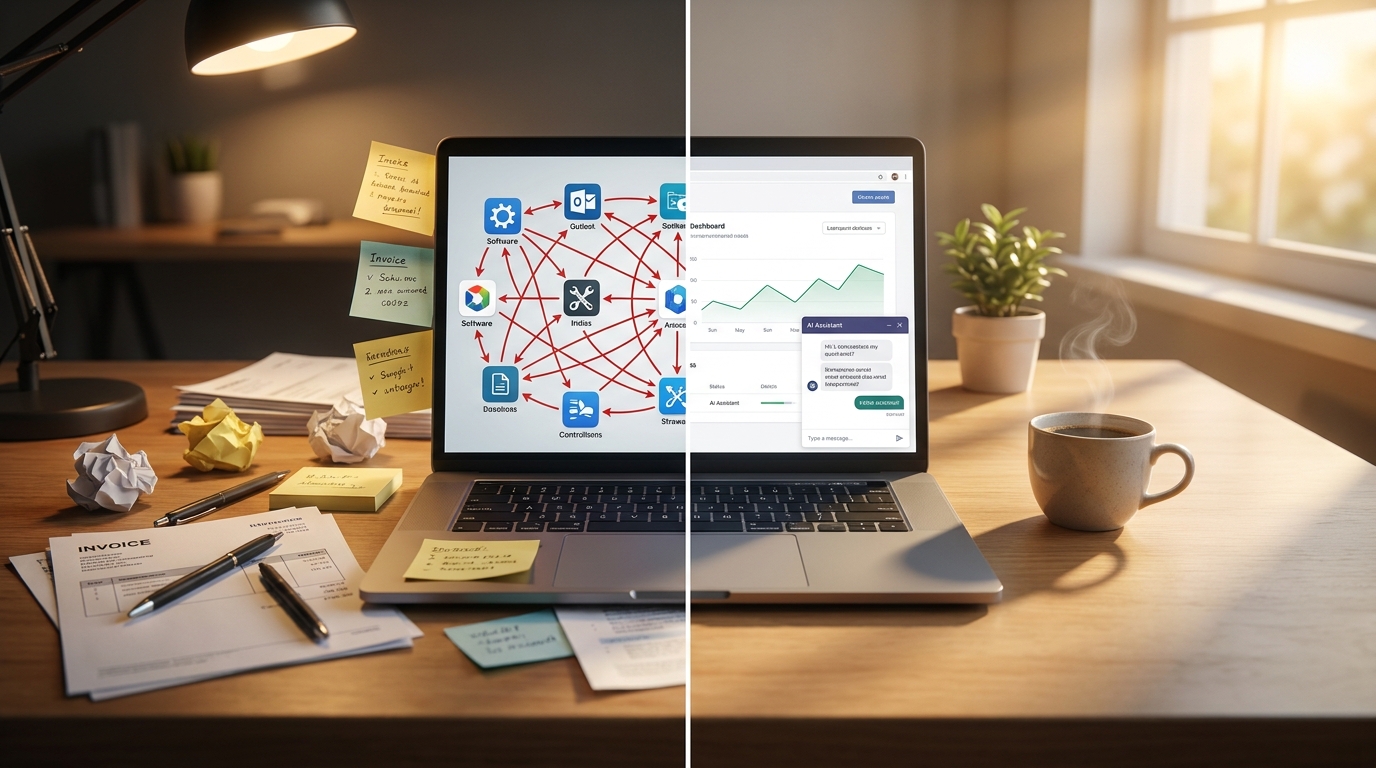
But here's what the Zapier vs. alternatives articles on Cybernews and Hostinger keep circling around without quite saying directly: the moment your automation needs conditional logic, touches more than three systems, or runs at any real volume, SaaS platforms start costing more than the problem they're solving. Cybernews reported in 2026 that n8n can cost up to 90% less than Zapier for equivalent workflows - and n8n is still a platform with its own constraints. Custom automation eliminates the platform entirely.
That's the real custom automation vs Zapier conversation. Not which is better in the abstract - which is better for your specific workflow, at your specific scale.
What You Need Before Starting
You don't need to be technical. You need three things:
- A list of your current automations - even if it's just "I manually copy data from X to Y every Tuesday." Write down every repetitive task you do or want to automate.
- Your monthly Zapier bill (or projected cost if you haven't started yet). Pull this from your billing page or use Zapier's pricing calculator.
- 30 minutes to walk through the steps below honestly. Not every automation deserves custom work. Some do.
Step 1: Audit What You're Actually Automating

- What triggers it
- What it does
- How many times it runs per month
- How many different apps it connects
A dog groomer who sends appointment reminders via text - that's a simple, two-app Zap. A property management company that pulls maintenance requests from email, creates tickets in a project board, notifies the right contractor based on issue type, and logs everything to a spreadsheet - that's four apps with conditional routing. Very different complexity. Very different cost calculus.
Step 2: Categorize Each Workflow by Complexity
Simple (1-2 apps, no conditions): Form submission → email notification. New sale → Slack message. These are Zapier's sweet spot. Don't overthink them.
Medium (2-4 apps, basic conditions): New lead → check if existing customer → add to different CRM lists based on source. Zapier can handle this, but you'll be on a paid plan, likely $30-75/month.
Complex (4+ apps, conditional logic, data transformation, volume): This is where the custom automation vs Zapier question gets interesting. A taco truck chain pulling daily sales from Square across five locations, calculating inventory reorder points, sending purchase orders to different suppliers based on item category, and generating a weekly P&L - Zapier can technically do this. It'll cost $150-300/month in task volume alone, and you'll hit edge cases the visual builder can't handle cleanly.
Step 3: Calculate Your Real Zapier Cost
Zapier's pricing is task-based. Every time a Zap runs a step, that's a task. A five-step Zap that runs 100 times a month uses 500 tasks. The free plan gives you 100 tasks. The Starter plan gives you 750 for $29.99/month. The Professional plan gives you 2,000 for $73.50/month.
Here's what catches people: multi-step Zaps multiply fast. That property management workflow with four steps running 200 times a month is 800 tasks - already past the Starter plan. And that's one workflow. Most businesses running Zapier seriously have five to fifteen active Zaps.
Write down your actual monthly cost. If it's under $30, stop here. Zapier is your answer. If it's $75-300+, keep reading.
Step 4: Get a Custom Automation Quote (It's Not What You Think)
Most small business owners assume custom automation means hiring a dev agency for $15,000 and waiting three months. That's the enterprise world. For a small business, a custom automation that replaces $200/month in Zapier costs typically runs $500-2,000 as a one-time build, depending on complexity.
I build these regularly at Autom84You - a Python script running on a $5/month server that does exactly what six Zaps were doing, but faster and without task limits. For a Sunnyvale HVAC company, I replaced a $180/month Zapier setup with a custom workflow that cost $750 to build and $5/month to run. Paid for itself in under five months. You can see that kind of work at autom84you.com/pages/portfolio.php.
The point isn't that custom is always cheaper. It's that for complex, high-volume workflows, the math often favors building once over subscribing forever.
Step 5: Evaluate the Tradeoffs Honestly
Custom automation vs Zapier isn't a one-sided argument. Here's what you actually give up with each choice:
Zapier advantages:
- No code. Anybody on your team can edit a Zap.
- 7,000+ app integrations already built.
- If something breaks, their support team helps.
- You can build a workflow in fifteen minutes.
Custom automation advantages:
- No per-task pricing. Run it a million times, same cost.
- Full control over logic, error handling, and data flow.
- Can do things Zapier literally cannot - scrape websites, run AI models against your data, interact with APIs that don't have Zapier integrations.
- No vendor lock-in. You own the code.
Zapier disadvantages:
- Costs scale with usage, not value.
- Complex conditional logic gets messy in the visual builder.
- You're limited to what Zapier supports. If an app doesn't have a Zapier integration, you're stuck.
Custom automation disadvantages:
- Requires someone technical to build and maintain.
- Changes take longer than dragging a new block in Zapier.
- You're responsible for hosting and monitoring.
Step 6: Use the 10x Rule to Decide
Here's the framework I use when clients ask me about custom automation vs Zapier: if your monthly Zapier bill is more than 10x the monthly hosting cost of a custom solution, build custom. If it's less than 3x, use Zapier. If it's in between, it depends on whether the workflow needs things Zapier can't do.
For most small businesses, that breakpoint is around $75-100/month in Zapier costs. Below that, the convenience of Zapier wins. Above that, you're paying a subscription premium for something a one-time build could handle.
Step 7: Consider the Hybrid Approach
Nobody says it has to be all or nothing. The smartest setups I've built use Zapier for the simple stuff (form notifications, basic CRM triggers) and custom code for the heavy lifting (data processing, multi-system syncs, AI-powered workflows).
A meal prep delivery service I worked with kept Zapier for their "new order → Slack notification" workflow ($0/month on the free plan) and built a custom system for their ingredient aggregation, supplier ordering, and delivery route optimization. The custom piece replaced what would have been $250/month in Zapier Professional tasks plus two hours of manual work per day.
That hybrid approach is what the custom automation vs Zapier debate usually misses. It's not binary.
Step 8: If You Go Custom, Start With One Workflow
Don't try to replace everything at once. Pick your most expensive or most frustrating Zap - the one that's either costing the most in tasks or the one that keeps breaking because it's too complex for the visual builder. Build a custom replacement for that one. Run both in parallel for two weeks. Once you trust the custom version, turn off the Zap.
Then evaluate: did it work? Was it worth it? If yes, pick the next one. If no, you've spent a few hundred dollars learning something useful about your business.
What to Do Next
Pull up your Zapier billing page right now. Sort your Zaps by task usage. If anything is eating more than 500 tasks a month with complex multi-step logic, that's your candidate for custom automation.
If you want a second opinion on whether your specific workflows make more sense in Zapier or as a custom build, send me what you're automating - nerd@a84y.com. I'll tell you straight whether Zapier is the right tool for your situation or whether you're overpaying for convenience you don't need. No pitch, just an honest read from someone who builds both. More about what I do at autom84you.com.


Comments
No comments yet. Be the first to share your thoughts!
Leave a Comment