
A barber in Fremont told me last month that he printed 500 flyers with a QR code linking to his booking page. Handed them out at a local car show. He knows he got some new clients from it because a few mentioned the flyer. But how many scanned? How many booked? How many scanned on Saturday versus Tuesday? He had no idea. The QR code worked. The tracking didn't exist.
That's the gap most small business owners fall into. The code itself is free. Generating one takes thirty seconds. But without qr code tracking for small business, you're flying blind - spending money on print materials, table tents, vehicle wraps, and mailers with zero visibility into what's actually converting.
This article is about closing that gap. Not with enterprise software that costs $400/month, but with tools that cost between nothing and $20, and take maybe an hour to set up properly.
What QR Code Tracking for Small Business Actually Means
A basic QR code is just a link in disguise. You point it at a URL, someone scans it, their phone opens the page. Done. No data collected beyond whatever Google Analytics picks up - which, if you haven't configured UTM parameters, is approximately nothing.
A tracked QR code is different. It routes through a redirect layer that logs every scan before forwarding the user to your destination. Depending on the tool, you get:
- Total scans and unique scans - so you know if one person scanned twelve times or twelve people scanned once
- Time and date stamps - reveals when your audience is most active
- Location data - city-level GPS based on the scanner's IP or device
- Device type - iPhone vs. Android, which matters if you're sending them to an app
- Referral source - did they scan from a flyer, a sticker, a menu, a business card?
This is the difference between guessing and knowing. And it's the difference between printing another 500 flyers because you feel like they worked and printing them because you have data showing a 14% scan rate from the car show versus 2% from the coffee shop bulletin board.
The Tools: What's Out There and What It Costs
There are dozens of QR code generators. Most of them are fine for making a static code. But for actual qr code tracking for small business, you need dynamic codes with an analytics dashboard. Here's what's worth looking at:
QR Code Monkey + Bitly (Free to $10/month)
QR Code Monkey generates codes for free with no sign-up. Pair it with a Bitly short link as your destination, and Bitly's free tier gives you basic click tracking - total clicks, top referrers, geographic breakdown. The limitation: Bitly's free plan caps you at 10 links per month and the analytics are surface-level. The $10/month Core plan gets you 100 links and better data.
Flowcode (Free tier available)
Flowcode is designed specifically for physical-to-digital marketing. Their free tier gives you unlimited static codes and one dynamic code with scan analytics. The dashboard is clean and shows scan activity over time, device types, and location. If you only need to track one campaign at a time - say, a seasonal menu promotion - the free tier is enough. Paid plans start around $7/month for more dynamic codes.
Uniqode (formerly Beaconstac) - $5 to $49/month
This is the more serious option. Uniqode gives you dynamic QR codes, detailed analytics, retargeting pixels, and the ability to change the destination URL after printing. That last part is huge. You print 1,000 stickers for your food truck, and six months later you want the code to point to a new menu instead of the old one? With a dynamic code, you just update the redirect. No reprinting. Their $5/month lite plan covers most small business needs.
Real Example: A Taco Truck in San José
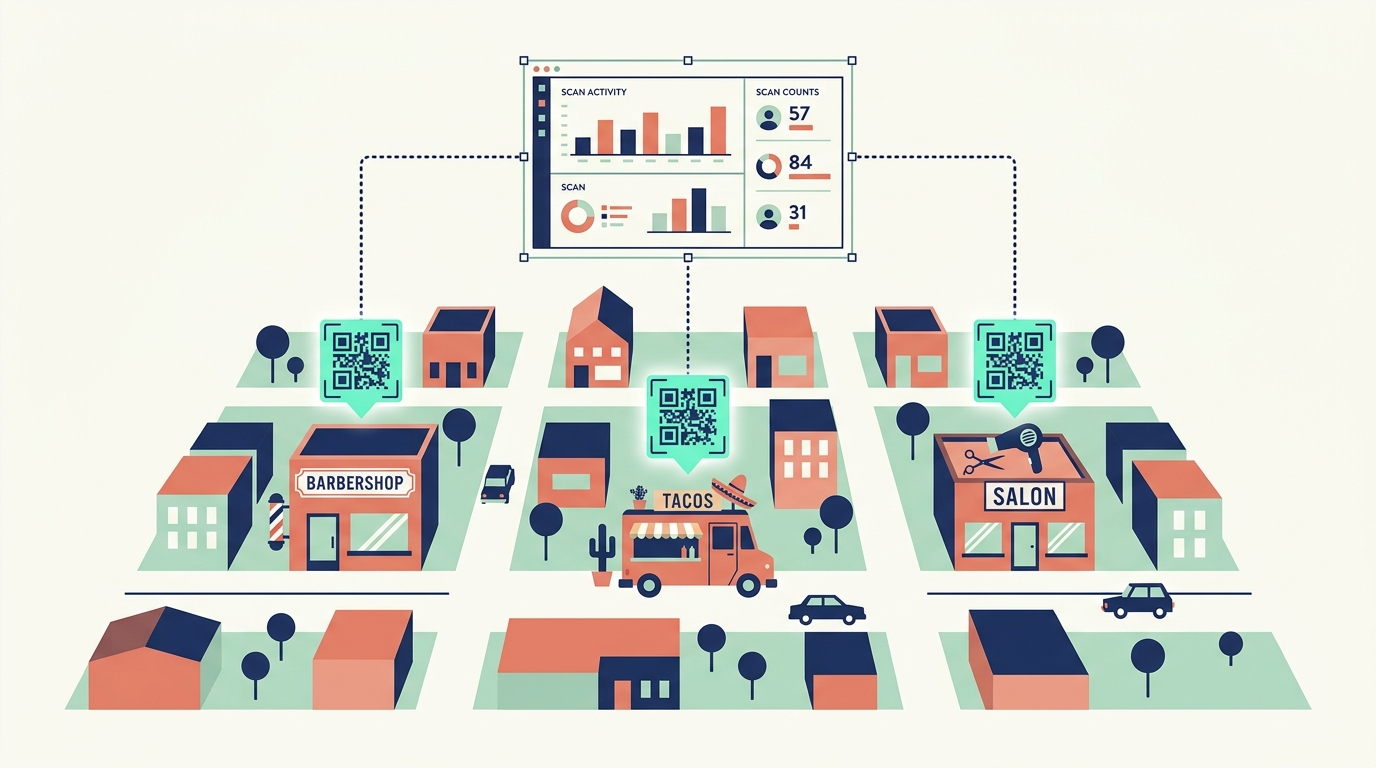
Let me walk through how this works in practice, because abstract features don't mean much until you see them applied.
Say you run a taco truck. You hit three locations per week - a brewery on Fridays, a farmers market on Saturdays, and a tech campus on Wednesdays. You create three separate tracked QR codes, one for each location, all pointing to your online ordering page. You print them on weatherproof stickers and slap them on your truck's serving window, rotating which one is visible at each stop.
After a month, your dashboard shows: the brewery sticker got 187 scans with a 22% click-through to the ordering page. The farmers market sticker got 94 scans with 31% click-through. The tech campus got 312 scans but only 8% click-through.
Now you know something. The tech campus has volume but low intent - people scan out of curiosity but don't order. The farmers market has the highest conversion rate. The brewery is solid on both. Without qr code tracking for small business, you'd treat all three locations equally. With it, you might double down on the farmers market, test a different landing page for the tech campus crowd, and keep the brewery as-is.
That's not hypothetical optimization. That's knowing where your money comes from.
Pros and Cons - Honest Version
Three reasons to set this up:
- It's almost free. The QR code itself costs nothing. The tracking layer costs $0-10/month depending on how many campaigns you're running. Compare that to the $200-500 you're spending on the print materials those codes live on.
- You stop wasting print budget. If a flyer campaign gets 4 scans total, you know to stop printing that flyer. That's information worth having before you order another 1,000.
- You can A/B test offline marketing. Two different flyer designs, two different QR codes, same destination. See which one gets scanned more. This used to be impossible without expensive focus groups.
Three honest downsides:
- Scan ≠ sale. Someone scanning your code doesn't mean they bought anything. You still need proper conversion tracking on your website to close the loop. QR tracking shows you the top of the funnel, not the bottom.
- Dynamic codes require a subscription. If the tracking service shuts down or you stop paying, your printed codes could break. Static codes pointing to your own domain don't have this risk - which is why I generally recommend using your own short domain as the redirect.
- People still don't love scanning QR codes. The pandemic normalized it with restaurant menus, but scan rates on flyers and business cards hover around 3-8% for most industries. Don't expect 50% engagement.
Alternatives Worth Knowing About
If you don't want to use a third-party QR platform, you've got two other paths.
Google Analytics UTM parameters: Free, no extra tools. You add tracking tags to your URL (like ?utm_source=flyer&utm_campaign=spring2026), generate a QR code pointing to that tagged URL, and view the results in GA4. The downside: no scan-level data, no device info, and GA4's interface is... a lot.
Your own redirect setup: If you have a website with a dashboard, you can build a simple redirect tracker. I've set this up for a handful of clients through links.autom84you.com - it's a marketing suite that includes QR code generation with built-in scan tracking, link management, and campaign analytics. Everything stays on your domain, no third-party dependency, and the data is yours. If you want to see what that looks like in practice, the portfolio page has a few examples.
How to Set Up QR Code Tracking for Small Business in Under an Hour
Here's the fastest path from zero to tracked:
- Pick your destination. Where do you want scans to land? Your booking page, your menu, your Google reviews page, a special offer? Decide first.
- Create a tracked link. Use Bitly, Flowcode, Uniqode, or your own redirect tool. Make sure it's a dynamic link so you can update the destination later.
- Generate the QR code. Most tracking tools include a QR generator. If not, use QR Code Monkey with your tracked link as the URL.
- Add a call to action next to the code. This is the part everyone skips. A naked QR code on a flyer gets ignored. "Scan for 10% off your first visit" gets scanned. The CTA matters more than the code design.
- Print and place. Business cards, table tents, stickers on your vehicle, flyer inserts, receipt backs. Use a different tracked code for each placement so you can compare performance.
- Check your dashboard weekly. Not daily - you'll drive yourself nuts. Weekly gives you enough data to spot patterns without overreacting to noise.
That's it. The whole thing. No enterprise software demo, no annual contract, no 47-step onboarding flow.
The Bigger Picture
The QR codes market is growing at a 19% compound annual growth rate according to Market.us, and it's not because big corporations suddenly discovered square barcodes. It's because small businesses - coffee shops, salons, HVAC companies, mobile dog groomers - figured out that a printed code on a $0.08 sticker can do the job of a $200/month marketing tool if you set up the tracking correctly.
QR code tracking for small business isn't complicated. It's just overlooked. Most people stop at "I made a QR code" and never get to "I know which QR code is actually bringing in customers." The second part is where the value lives.
If you've been printing codes without tracking them, you've already done the hard part - getting them into the world. Now add the layer that tells you what's working. And if the idea of setting up redirect tracking, UTM parameters, and analytics dashboards makes your eyes glaze over - that's a normal reaction. It's also the kind of thing I build for local businesses regularly. Websites, marketing tools, automation that actually runs without babysitting. Shoot me a note at nerd@a84y.com or check out autom84you.com. I'll tell you straight whether it's worth your time or if a free Bitly link does the job.



Comments
No comments yet. Be the first to share your thoughts!
Leave a Comment