
You Printed 500 Flyers. How Many Actually Worked?
A bakery owner in Campbell told me she spent $1,200 on door hangers last spring. Nice design, good paper stock, QR code linking to her online ordering page. I asked how many scans she got. She stared at me like I'd asked her to recite pi to the fifteenth digit.
She had no idea. Not a guess, not a ballpark - nothing. The QR code pointed to her raw website URL. No tracking, no analytics, no way to know if those 500 door hangers drove five orders or five hundred.
This is the gap that a real qr code marketing strategy fills. Not the part where you slap a square on a flyer - every print shop in America can do that. The part where you actually learn something from it.
What a Qr Code Marketing Strategy Actually Looks Like in 2026
Here's the version most small businesses are running: generate a free QR code from some random website, point it at your homepage, print it, forget about it. That's not a strategy. That's a hyperlink with extra steps.
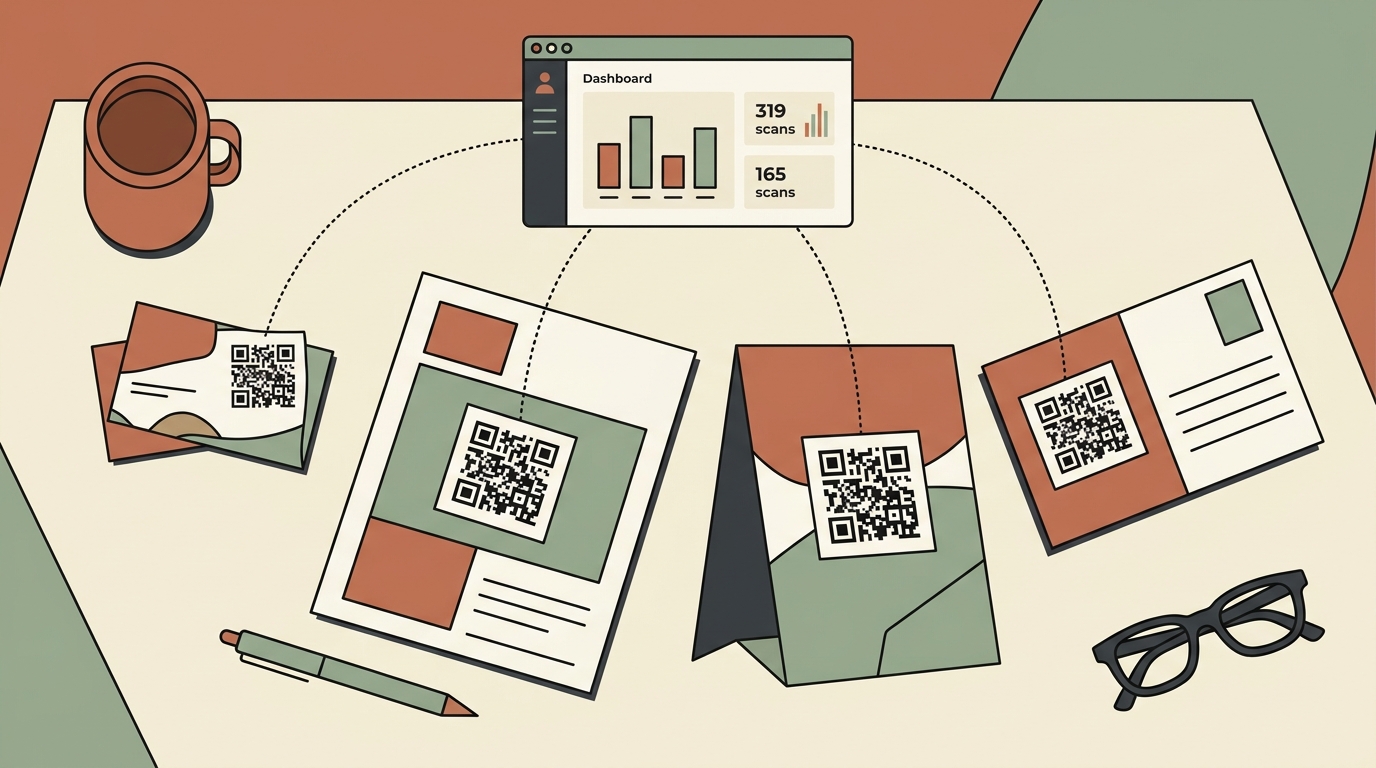
A proper qr code marketing strategy uses dynamic QR codes with tracking built in. Dynamic means the destination URL can be changed after printing - so if you move your menu to a new page, you don't reprint 200 table tents. Tracking means every scan records the time, location (city-level), and device type.
The tools that do this well aren't new, but they've gotten significantly cheaper and easier to use. The three worth knowing about:
- Autom84You Marketing Suite - Full link management and QR tracking built for small businesses. Free tier available, paid plans from $9/month. Disclaimer: I built this, so I'm biased, but I also built it because every other option had something annoying about it.
- QR Code Generator (qr-code-generator.com) - Solid standalone tool. Free static codes, dynamic tracking starts at $7.50/month. Good if all you need is QR codes and nothing else.
- Bitly - The link shortener added QR code generation a few years back. Works fine, starts at $8/month for the QR features, but the interface is clearly designed for link management first and QR codes second.
How This Plays Out for a Real Business
Let me walk through a concrete example. Say you run a mobile dog grooming service in Fremont. You've got a wrapped van - that's your biggest marketing asset. Right now, it probably has your phone number and maybe your Instagram handle on it.
Here's what changes with a tracked QR code on that van:
Week 1: You create a dynamic QR code that points to your booking page. You slap it on the van's rear window with a simple vinyl sticker - "Book your dog's next groom" next to the code. Cost: about $15 for the sticker.
Week 2: You check your dashboard. 34 scans. 28 of them between 4 PM and 6 PM - people sitting behind you in traffic during their evening commute. 6 came from a Saturday morning when you were parked at the farmers market.
Week 3: You put a different QR code on a stack of business cards you leave at the vet's office. This one has its own tracking link so you can tell vet referrals apart from van scans.
Week 4: You look at the numbers. Van QR code: 89 scans, 11 bookings. Vet office cards: 12 scans, 4 bookings. The van gets more volume, but the vet referrals convert at 33% versus 12%.
Now you know something useful. The vet office relationship is worth investing in - maybe you bring them a thank-you gift and ask if they'd mention you to new puppy owners. The van works for awareness but converts lower, so maybe you test changing the landing page to a first-time discount instead of the generic booking page.
None of this insight exists without tracking. Without it, you're just guessing which marketing efforts pay off. With it, you're making $15 decisions backed by actual data.
The Stuff Nobody Tells You (Pros and Cons)
What works well:
- Print doesn't have to be a black box anymore. Direct mail, flyers, event handouts, packaging inserts - all of these become measurable when you attach a tracked QR code. According to Demand Gen Report, B2B marketers using QR codes at events saw measurable increases in lead capture and post-event engagement in 2025-2026.
- The cost is nearly zero. Even paid plans are under $10/month. Compared to what you spend on the print materials themselves, adding tracking is basically free.
- You can change destinations without reprinting. Running a seasonal special? Swap the QR code's destination URL. Your physical materials stay the same. This alone saves most businesses a couple hundred dollars a year in reprints.
What doesn't:
- Scan counts aren't the same as conversions. Someone scanning your code and someone buying from you are two different things. You still need your landing page to close the deal. A tracked QR code tells you how many people showed up at the door - it doesn't fix what's inside.
- Placement matters more than design. I've seen business owners spend hours customizing their QR code colors and adding logos to the center. Meanwhile, the code is printed at the bottom of a flyer in 0.5-inch size and nobody can scan it. Size it at least 1 inch square. Put it where eyes actually go.
- Older demographics scan less. If your customer base skews 65+, QR codes won't be your primary channel. They're supplemental - you still need the phone number in big font.
Where It Gets Interesting: Multi-Code Campaigns
The real power of a qr code marketing strategy kicks in when you use multiple codes across different placements and compare them. This is the part that turns QR tracking from a novelty into an actual marketing system.
Think about it this way. A wedding photographer in San Jose could have:
- One QR code on their business cards (links to portfolio)
- One on their booth signage at bridal expos (links to a limited-time booking offer)
- One printed on the back of sample albums left at venues (links to testimonials page)
- One in their email signature (links to a planning guide PDF)
Four codes, four sources, four separate data streams. After a month, you know exactly which channel drives the most inquiries. Maybe the bridal expo booth gets 200 scans but only 3 bookings. Maybe the sample albums at venues get 15 scans but 6 bookings. That changes where you spend your time and money next quarter.
This is the same logic that big companies apply with UTM parameters and multi-touch attribution - except you're doing it with a $9/month tool and some stickers.
Quick Comparison: What to Use
If you want the simplest possible setup and you only need one or two QR codes, QR Code Generator is fine. Clean interface, gets the job done, no extras you don't need.
If you're already managing short links, social media links, or bio links and want QR codes in the same place, Autom84You's Marketing Suite consolidates all of that. I built it specifically because small business owners kept telling me they had four different tools for things that should live in one dashboard. Link tracking, QR generation, bio pages, and basic analytics - one place, one login.
If you're a bigger operation and already pay for Bitly for link management, their QR add-on is adequate. But for a solo operator or small team, you're paying for features you won't touch.
The One Thing to Do This Week
Pick your single highest-traffic physical touchpoint. For most small businesses, that's either a business card, a storefront sign, or a vehicle. Create one dynamic, tracked QR code. Point it at whatever page you most want people to visit - your booking page, your menu, your portfolio, whatever drives revenue.
Put it out there. Check the numbers in seven days. That first look at real scan data - where people are, when they scan, how many actually click through - tends to change how business owners think about all their other marketing. It makes the invisible visible.
If you want help setting up a qr code marketing strategy that ties into your website, your booking system, and your social media - that's what I do at autom84you.com. Not a sales pitch, just an offer: shoot me an email at nerd@a84y.com and I'll tell you honestly whether it's worth your time or if you can handle it yourself in an afternoon. Most of you can. Some of you have better things to do with that afternoon - and that's where I come in.



Comments
No comments yet. Be the first to share your thoughts!
Leave a Comment