
Every household has that drawer. You know the one. Seven remotes, two of which control things you no longer own, and one mysterious black rectangle that might be for the ceiling fan or might summon a drone strike. Nobody knows. You just mash buttons until the TV works.
Running a restaurant without proper pos integration restaurant tech feels exactly like that drawer. You've got one system for orders, another for inventory, a third for online delivery, a fourth for staff scheduling, and some ancient iPad duct-taped to the host stand running software that hasn't been updated since Obama's second term. Everything technically works. Nothing actually talks to each other.
Tonight, let's talk about the one tool that finally consolidated my favorite taco spot's entire operation into something a human being can actually manage: Toast POS.
What POS Integration Restaurant Owners Actually Need
Toast is a cloud-based point-of-sale system built specifically for restaurants. Not retail stores that also serve food. Not generic business software with a "restaurant mode" buried in settings like a secret menu item. Actual restaurants - from food trucks to full-service dining rooms.
The company launched in 2012 out of Boston, went public in 2021, and now powers over 120,000 restaurant locations across the US. Their core pitch is simple: one system that handles orders, payments, online ordering, delivery integration, payroll, inventory, and reporting. One screen instead of seven remotes.
Pricing starts at $0/month for their Starter Kit (yes, free - they make money on payment processing at 2.99% + 15¢ per transaction). The mid-tier "Point of Sale" plan runs $69/month. The full "Build Your Own" package with all the integrations can run $100-200+/month depending on what you bolt on. Hardware starts at $799 for a terminal kit.
How It Actually Works (In English, Not Vendor-Speak)
Here's what pos integration restaurant technology looks like in practice, stripped of all the marketing gloss:
A customer orders a burrito on your website. That order appears on your kitchen display screen instantly - no one had to re-type it, no one had to check a separate tablet. The inventory system automatically deducts the tortilla, the protein, the cheese. If you're running low on carnitas, the system flags it before you find out the hard way (a.k.a. telling table 12 you're out of their favorite thing at 7:45 PM on a Friday).
End of night, your sales from dine-in, takeout, DoorDash, Uber Eats, and your own online ordering all show up in one dashboard. Labor costs sit right next to revenue. You can see that Tuesday lunch is consistently overstaffed and Saturday brunch is consistently chaotic, and you can fix both without cross-referencing three spreadsheets and a prayer.
That's it. That's the whole trick. Everything talks to everything else, so you stop being the human middleware translating between seven different systems.
A Day in the Life: Mika's Ramen Shop
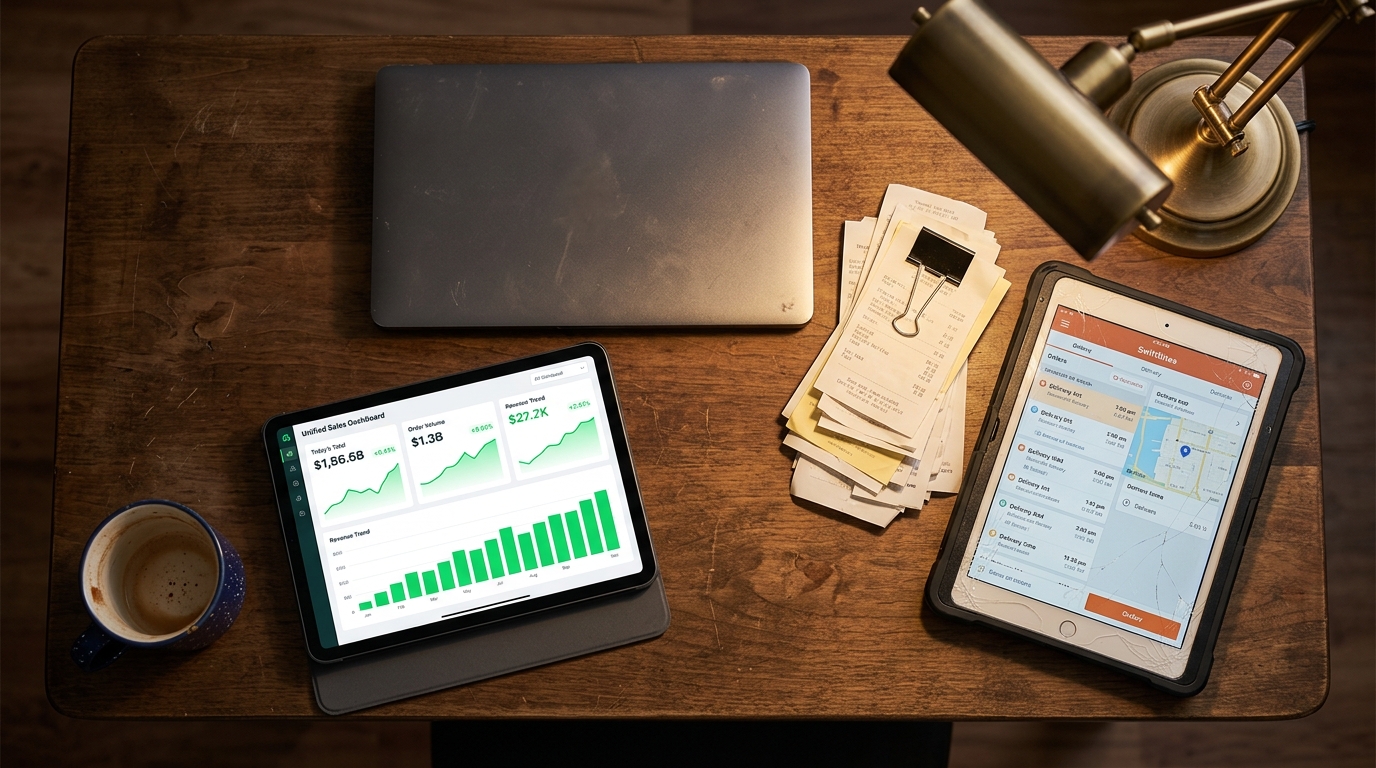
After switching to Toast with their online ordering and delivery integration modules, here's her evening routine: she glances at one screen, sees total sales across all channels, confirms inventory levels auto-updated correctly, and goes home. Twenty minutes, tops.
The pos integration restaurant owners like Mika care about isn't flashy. It's "I want to stop being the translator between five apps that refuse to speak the same language." It's the ceiling fan remote problem, solved.
Mika also added Toast's built-in loyalty program, which tracks repeat customers automatically. She didn't need a separate app. She didn't need to ask customers to download anything. It just... works. (I know. Suspicious. But it does.)
The Honest Pros and Cons
Three things Toast does well:
1. Restaurant-first design. The interface assumes you know what a ticket is, what "86'd" means, and that your kitchen is loud. Modifiers, coursing, split checks - it's all built in, not bolted on. This matters more than it sounds.
2. Real integrations, not just a logo wall. Toast connects directly to DoorDash, Uber Eats, Grubhub, plus accounting tools like QuickBooks and Xero. According to Oracle's guide on open API architecture for POS systems, the trend in 2026 is toward open APIs that let your tools genuinely share data - and Toast has been ahead of that curve.
3. Transparent reporting. Labor vs. revenue, food cost percentages, peak hour analysis - all in one place. No spreadsheet archaeology required.
Three things that might give you pause:
1. Payment processing lock-in. You must use Toast's payment processing. No shopping around for better rates. At 2.99% + 15¢, it's competitive but not the cheapest. If you're doing $50K+/month in card transactions, that difference adds up.
2. Hardware commitment. Toast runs on proprietary hardware. You can't just install it on your existing iPad. The upfront cost ($799-$1,500+ per terminal) is real money for a small operation.
3. Contract length. Some plans lock you into 2-year terms. Read the fine print. Then read it again. Then have someone who isn't excited about new technology read it a third time.
How Toast Compares
Square for Restaurants is the obvious alternative - starts free, works on iPads you already own, and has simpler pricing. But its restaurant-specific features feel like they were added to a retail system (because they were). Pos integration restaurant owners need - especially around kitchen display routing and delivery aggregation - is thinner on Square.
Clover is another contender with decent hardware and a growing app marketplace. But its restaurant tools are less mature than Toast's, and the third-party app quality varies wildly. Some Clover restaurant apps feel like they were built during a hackathon and never updated.
If you're a small cafe doing simple counter service, Square is probably fine. If you're running a full-service restaurant with delivery, multiple stations, and actual inventory complexity, Toast earns its price.
Where Your Website Fits Into All This
Here's something most POS companies won't tell you: the integration only works as well as your digital front door. If your restaurant website is a five-page disaster running on a theme from 2019 with a menu posted as a blurry PDF, the fanciest POS integration in the world won't save your online ordering conversion rate.
Your website is where the pos integration restaurant workflow begins for every online customer. It needs to load fast, show your menu clearly, and make ordering obvious. Not "click here, then here, then here, then enter your mother's maiden name" obvious. Like, one-tap obvious.
This is actually something I help restaurant owners with at Autom84You - building clean, fast websites that connect properly to whatever POS system they're running. Toast, Square, Clover, whatever. A custom site that actually matches your restaurant's vibe, loads in under two seconds, and has online ordering that doesn't make customers abandon their cart out of frustration. Starting at $500, or $75/hour for more complex builds with deep pos integration restaurant setups. You can see examples at the portfolio.
What to Do Right Now
If you're currently living the seven-remotes life:
1. List every system you're paying for. POS, online ordering, delivery, scheduling, inventory, loyalty, accounting. Write them all down. Count them. Be horrified.
2. Sign up for a Toast demo. It's free, it takes 20 minutes, and they'll show you specifically which of your seven remotes they can replace. Go to toasttab.com.
3. Look at your website. If your online ordering experience involves a PDF menu and a phone number, you're leaving money on the table - possibly literally, if a customer gives up mid-order and goes somewhere else.
The whole point of pos integration restaurant tech isn't to add more technology to your life. It's to subtract the chaos. One screen. One login. One place where everything makes sense.
Kind of like finally finding that one remote that controls everything. Except this one actually exists.
If you want help connecting the dots between your POS, your website, and your sanity - drop me a line at nerd@a84y.com. I speak fluent restaurant tech, and I promise not to use the word "synergy" even once.



Comments
No comments yet. Be the first to share your thoughts!
Leave a Comment