
The Video Problem Nobody Talks About
A wedding photographer in San Jose told me last month she spends $400 per promo video. She hires a freelance editor on Fiverr, waits five days, gets something decent, then realizes she needs a version for Instagram Reels, another for her website, and a third for Pinterest. That's $1,200 and two weeks for three clips she'll use for maybe 60 days.
She's not alone. Every HVAC company, dog groomer, and taco truck owner I talk to has the same problem: video content works, they know it works, but producing it costs too much time and money for what they get back. So they either skip it entirely or post shaky phone footage with bad lighting and hope for the best.
That's the gap Google VEO for business use is trying to fill. And as of early 2026, it's actually becoming a real option - not a demo reel, not a waitlist, but something you can sign into and use today.
What Google VEO for Business Use Actually Looks Like
Let's be specific. Google just integrated Veo 3.1 into Google Vids, their browser-based video editing tool. Here's what that means in plain English:
You type a description - "a coffee shop counter with morning light streaming through the window, steam rising from a fresh pour" - and Veo generates an 8-second, 720p video clip from that text. No camera. No stock footage subscription. No editing timeline. Just words in, video out.
But it's not just raw clips. Google added three things that make this more than a toy:
- AI Avatars: Pre-built characters (realistic and cartoon) that stay consistent across scenes. You can direct them to say specific lines and they'll look and sound the same from one clip to the next.
- Lyria Music: Google's AI music generator is baked in. Describe the vibe you want - "upbeat acoustic morning energy" - and it produces a 30-second or 3-minute track. No licensing fees.
- YouTube Integration: One-click sharing to YouTube, which matters because that's where most small business video actually lives.
The pricing tiers: free accounts get 10 video generations per month. Google AI Pro subscribers get 50. The AI Ultra plan (personal or enterprise) gets 1,000. Each generation is one 8-second clip.
A Real Example: How a Landscaping Company Would Use This
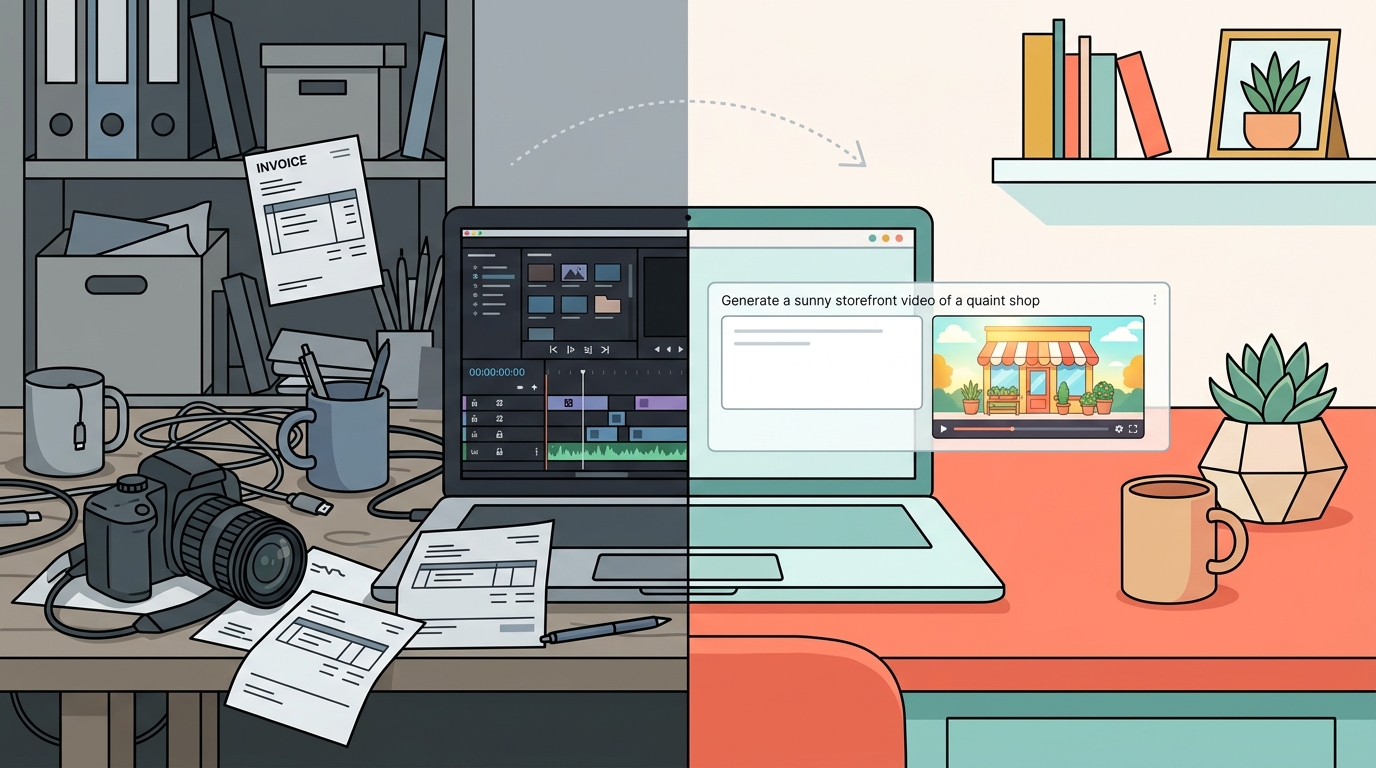
Let's say you run a landscaping crew in Sunnyvale. Here's how Google VEO for business use plays out in your week:
Monday: You just finished a backyard redesign. You take three photos on your phone. In Google Vids, you type prompts describing each stage - the bare dirt "before," the mid-project hardscaping, the finished patio with plantings. Veo generates three 8-second clips. You add a Lyria music track. Total time: 20 minutes.
Wednesday: You need a quick social post about spring lawn prep. You use one of the AI avatars - a friendly, professional-looking character - to deliver a 15-second tip. You direct the avatar to say: "March is when you want to aerate. Your lawn will thank you in June." You export it and post to Instagram.
Friday: You realize you need a hero video for your website landing page. You generate a few scenic clips - morning light on green grass, a sprinkler system turning on, a family grilling in a finished backyard. String them together with music. Done before lunch.
None of this replaces a professional videographer for your annual brand video. But for the weekly social content grind? It's a real option now.
The Honest Pros and Cons
I've been testing Google VEO for business use since Veo 3.1 landed in Vids, and here's where I've landed:
What works
- Speed: From idea to finished clip in under 10 minutes. For a salon owner who posts three times a week, that's the difference between "I'll do it later" and actually doing it.
- Cost: The free tier gives you 10 clips a month. AI Pro is $20/month for 50. Compare that to even one Fiverr video edit.
- Consistency: The avatar system means your "brand spokesperson" looks the same every time. No reshooting because someone blinked.
What doesn't
- 8 seconds is short: Each generation maxes out at 8 seconds in 720p. You'll need to stitch multiple clips together for anything longer, and the seams can show.
- It's not your actual business: Veo generates synthetic footage. It can't show YOUR shop, YOUR team, YOUR food. A plumber can't generate a video of their actual truck pulling up to a real house. For authenticity, real footage still wins.
- The free tier is tight: 10 generations per month means maybe 2-3 usable videos if you're picky. Most small business owners will need to pay for AI Pro at minimum.
How It Stacks Up Against the Alternatives
Sora (OpenAI): OpenAI has been pulling back on video generation - they've been cautious about wide rollout. If you can access it, Sora produces impressive results, but availability and pricing have been inconsistent. Google VEO for business use wins on accessibility right now because it's baked into a tool (Google Vids) that anyone with a Google account can open today.
Runway Gen-3: Still the creative professional's choice. Higher resolution, more control, better for cinematic work. But it starts at $12/month for limited generations and scales up fast. For a restaurant owner who just needs a quick Instagram Reel, Runway is overkill.
Canva AI Video: Probably the closest competitor for the small business crowd. Canva's approach is template-heavy, which means less creative freedom but faster results. If you're already paying for Canva Pro, their video tools might be enough - but they don't have anything close to Veo's generative video quality.
Where This Gets Interesting for Small Business Owners
The real value of Google VEO for business use isn't replacing your video strategy. It's giving you one when you didn't have one before.
Most of the small business owners I work with at Autom84You don't have a video strategy. They have a phone full of photos they never post and a vague guilt about not being on TikTok. Veo lowers the floor. You can go from zero video content to three posts a week without hiring anyone or learning Premiere Pro.
I've actually built a tool around this - veo.autom84you.com - that lets small business owners generate AI videos without needing a Google AI subscription or figuring out the prompting themselves. If you've ever stared at a blank text box wondering what to type, that's the problem it solves.
But here's what I tell every client: AI-generated video is a supplement, not a replacement. Your best-performing content will still be the shaky iPhone video of your chef pulling a pizza out of the oven, or your dog groomer working on an anxious golden retriever. People connect with real. Use Veo for the polished filler between those real moments - the transitions, the intros, the seasonal promos, the Pinterest pins.
What to Actually Do This Week
If you've read this far and you're curious, here's your move:
- Go to Google Vids (it's free, you just need a Google account)
- Type a prompt that describes your business - be specific about lighting, setting, and mood
- Generate one clip. See if it's close to what you'd actually post
- If it works, try stringing three clips together with a Lyria music track
You'll know within 15 minutes whether this is useful for your specific situation. No commitment, no credit card.
And if you try it and think "this is cool but I need someone to actually build this into my marketing workflow" - that's literally what I do. I've set up AI video pipelines for bakeries, fitness studios, and a mobile car detailer who now posts daily without touching an editing app. Check the portfolio if you want specifics, or just email nerd@a84y.com and tell me what kind of business you run. I'll be straight about whether Veo makes sense for you or if you're better off with something else.



Comments
No comments yet. Be the first to share your thoughts!
Leave a Comment